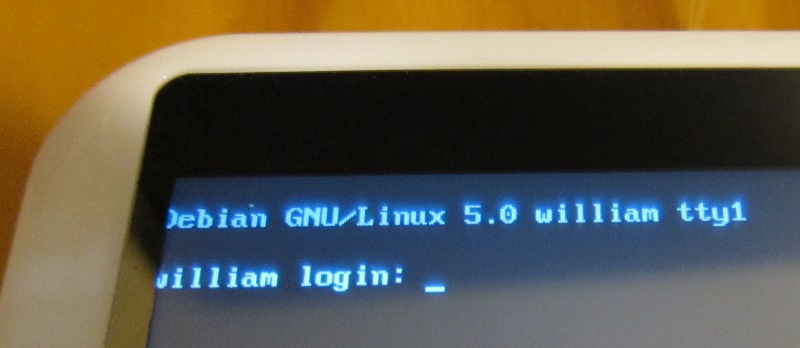
Debian on the Eken M001

(One more Eken post and I’m going to have to rename this blog to Project M001!)

EDIT: Everything here is somewhat out of date now. Jacob Stoner has released a Debian build with X11 & touchscreen support. Initial post here. Initial download here.

Debian Boots! I wish I had a keyboard!

Debian on the WM8505 netbooks has been around for a while, thanks to the efforts of #easypc’s abrasive. I needed to tweak a couple of things before his release worked on the Eken M001 tablet.

Before you begin

You probably want to start by plugging in either a USB keyboard or a serial cable. Otherwise, all Debian has to offer you is a blank login console.

Howto

Follow abrasive’s directions in the README here to set up the partitions on your SD card.

Before you boot the SD card, make the following 4 changes:

  1. In the FAT partition you made, replace script/scriptcmd with this scriptcmd file.
  2. Download the Eken official Android 1.6 upgrade from here, unzip it and copy the script/uzImage.bin file (kernel image) over script/uzImage.bin on the FAT partition you made.
  3. In the ext2 partition, edit etc/inittab and replace this line:
    #T0:23:respawn:/sbin/getty -L ttyS0 9600 vt100
    with this one:
    T0:23:respawn:/sbin/getty -L ttyS0 115200 vt100
  4. Also in the ext2 partition, run sudo mknod (mount-point-of-ext2-part)/dev/ttyS0 c 4 64(or equivalent)

(The last two steps are only strictly necessary if you want to use the serial console, but the first two are necessary all of the time.)

Then pop the card in and you should boot into Debian! The instructions on the bento-linux Wiki for X11 work as well, although I found I needed a window manager (like xfce4) installed before X11 would stay launched.
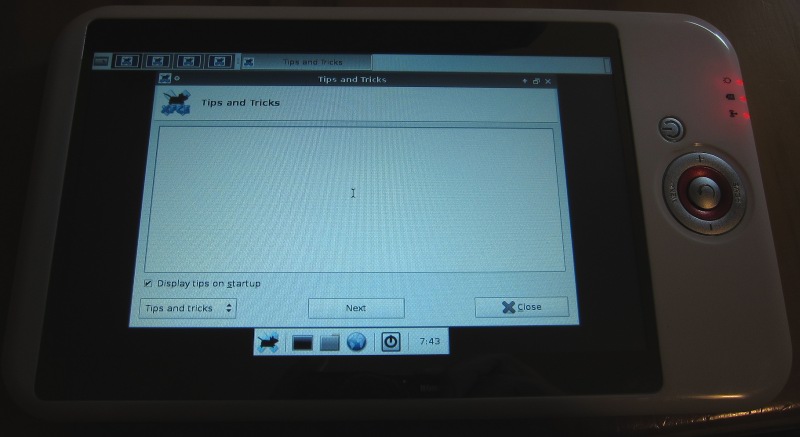
Default XFCE4 on my M001 tablet

EDIT: If you’re having trouble booting from SD, I just had an experience where uboot was refusing to load ’scriptcmd’ even though it was correct. I had to reformat the FAT partition and re-copy the files. Not sure what that was about, but might be worth trying if your Debian suddenly refuses to boot.

Notes

The new scriptcmd adds the kernel command line arg “console=ttyS0,115200n8″ to the command line. Seems unnecessary, but I couldn’t get it to boot successfully at all without this addition.

If you don’t replace the netbook kernel with the one from Eken, you won’t get any graphics display. Although debian will still run fine through the serial port. I’m guessing the netbook kernel has the LCD buffer at a different address.

Eken boots android with mem=109M on the command line whereas abrasive has used mem=112M. I don’t know if the Android version is allocating extra space for framebuffer double buffering, or something else. I haven’t noticed any differences yet so I’m running with mem=109M.

I haven’t tried the optional scriptcmd.install to install Debian to the internal flash, yet. I’m guessing you may need to repartition the mtd to get full use, as the Android partitioning scheme uses two partitions.

Pro tip: to see the insides of a scriptcmd file run ‘tail -c +73 scriptcmd’

Disk access when running from the SD card is sloooow (at least for slow SD cards like mine.) Don’t know if running from internal flash is any better.

I’m guessing that the framebuffer works normally in the Debian install because it isn’t using double-buffering, which is necessary for Android to work. I don’t know if ‘abrasive’ had to do anything special to get the ‘fbcon’ console module to work, I’m going to try and find out though!

EDIT: Jacob Stoner has come up with a small program to init the touchscreen, and a more recent version of evtouch that works for input. info here, init program & recent evtouch. He says he’s going to come out with an installable package (no serial/keyboard required) shortly.

I had a quick try at copying across the wm9715-api.ko & wm9715-ts_800_480.ko touchscreen modules from the Eken firmware, and using them with the package xserver-xorg-input-evtouch to provide a touchscreen mouse. No luck, though. The ‘evtest’ utility shows screen presses coming in, but no X/Y coordinates. A better approach might be to compile the the Wolfson OSS drivers against the 2.6.29 kernel headers.

Finally,

Want a quick laugh?


~# modinfo wm9715-api.ko
filename: wm9715-api.ko
author: VIA ShenZhen MCE SW Team
license: GPL
description: WM9715 api for the driver of touchscreen and battery

GPL, huh? This is kind of “GPL” where noone releases any source code. Ho ho ho! Thanks VIA, Wondermedia & Eken.


18 Responses to “Debian on the Eken M001”

  1. 7:32 am on July 4 2010, Sebas; said:

    That’s awesome!!

  2. 3:40 pm on July 4 2010, styol said:

    sexy! trying it when i get home and am near my china tablet. just to note, we here at bento-linux.org are fully supporting what you’ve done here and are more then likely

  3. 3:41 pm on July 4 2010, styol said:

    …. to fail at writing a comment. Yeah, we’re likely to post some of this goodness and give a linkback. Good work :)

  4. 10:38 pm on July 4 2010, angus said:

    styol: awesome, sounds great. :)

    Just to report back on the touchscreen driver again: I tried compiling the wm97xx-ts module from the 2.6.29 source tree. This depends on the ac97-bus module, because the WM9715 uses AC97 to communicate.

    Looks like the Eken kernel has its own proprietary ac97 support compiled in, but it’s not compatible with the Linux kernel’s OSS ac97 support (same kernel version, mind you!) So the OSS ac97_bus module can’t get to the AC97 interrupt, so the OSS touchscreen driver doesn’t work.

    Blech!

  5. 2:57 am on July 6 2010, Steve said:

    Great work!

    Question: at step 2 does it have to be the official 1.6 version? Are 1.72 or 1.74 okay?

    Thanks.

  6. 7:56 am on July 6 2010, angus said:

    Steve: yes, 1.72 & 1.74 should both be fine. Even any of the custom firmwares are fine, everyone is using Eken’s kernel unfortunately.

  7. 6:08 am on July 8 2010, u1106 said:

    I does not boot for me. I wonder whether my SD card is partitioned correctly, the flags in the partition table set correctly and the FAT file system has been created correctly.

    I have tried various version using sfdisk and parted, but none worked.

    Could somebody who has succeeded please post the output of the command

    sudo sfdisk -l /dev/sdd

    (or whatever device your SD card is)

  8. 11:18 pm on July 8 2010, angus said:

    u1106,

    Here’s mine:

    $ sudo sfdisk -l /dev/sdc
    Disk /dev/sdc: 1021 cylinders, 61 heads, 62 sectors/track
    Units = cylinders of 1936384 bytes, blocks of 1024 bytes, counting from 0

    Device Boot Start End #cyls #blocks Id System
    /dev/sdc1 0+ 16 17- 32116 c W95 FAT32 (LBA)
    /dev/sdc2 17 1020 1004 1898564 83 Linux
    /dev/sdc3 0 – 0 0 0 Empty
    /dev/sdc4 0 – 0 0 0 Empty

    Two things come to mind:

    1) I’m using an old style “Master Boot Record” partitioning scheme, nothing fancy.

    2) I’m using a 2Gb SD card, not SDHC. The U-boot in these devices apparently doesn’t support SDHC.

    Hth. What kind of “does not boot” are you getting? Does it ignore the SD completely, boot to Android, or lock up at some other stage?

    - Angus

  9. 8:28 pm on July 9 2010, u1106 said:

    Thanks Angus for your reply. I must say I don’t have exactly your device, but another one which according to the information in WinCE runs
    a WM8505. However, I’ve learned that this might just not be correct, aka hard-coded string. I’ve tried now a distribution for VT8500 SoCs
    and that definitely executes the scriptcmd file. The messages from scriptcmd appear on the scree now. Linux kernel still does not boot so the investigation continues, but probably this is the wrong forum here.

    Summary: no problem with the SD card, different hardware in the device

  10. 1:11 am on July 19 2010, Daniel said:

    Could someone post the link to the android 1.6 for eken? The link above is sending to the android 1.7.4, and the tutorial is not working with this version. Or maybe someone could upload the version of the tutorial in some place on the web. Thanks a lot. Cool tutorial, I’m waiting to test it on my Eken.

  11. 9:25 am on July 19 2010, angus said:

    Hi Daniel,

    The 1.7.4 firmware actually is Android 1.6. Version 1.7.4 refers to the version of the WMT SDK – which you can totally ignore if you’re just using the kernel for Debian.

    That’s the same link that I used for the kernel on my M001. Exactly what hardware are you using, and exactly how is it failing?

    Are you sure that there’s no problem with your SD card? It’s not SDHC (4Gb+), and it’s partitioned correctly?

    - Angus

  12. 11:01 pm on July 19 2010, Daniel said:

    Actually, I’m trying to do it in a Apad… Wrong name, my fault. I bought this gadget thinking about to change the OS, and install Debian. Just an experience, if it craps my Apad, I don’t care :)

    Anyway, I’ve partitioned the 2GB SD card (not SDHC) in 42 MB to fat16 and the rest in ext2. What I got confused is if I should label the ext2 or fat16 as bootable (I use GParted to do the job).

    The fail is simple, I’m just getting boot on Android, not the SD card.

    I think if I (or we!) succeed it, could be a great choice to change the OS, because it’s possible to make a light Debian, maybe using XVesa instead Xorg, add a swap in the internal memory… you know, the possibilities are immense.

  13. 11:42 am on July 27 2010, Josh said:

    Hello!, I just found this yesterday from the Slatedriod forums. I followed your’s/abrasive’s directions a couple of different times, and all I’ve gotten is a black screen with the moving green progress bar indefinitely. Is it possible I have a different revision m001 than you?

  14. 5:01 pm on July 29 2010, Josh said:

    IGNORE ME! It gots it to work.

  15. 11:15 pm on August 12 2010, Linux on it please said:

    [...] [...]

  16. 5:55 pm on August 31 2010, Dante said:

    Hi im currently tring to get debian working on flytouch. And i cant get the wifi to work, everytime that i try to get the connection up it says, that the device isnt found. Im wondering why cause eken and flytouch share the same wifi chip.

    Can you bring me some help?

    Thanks the blog rocks!

  17. 9:28 am on September 1 2010, angus said:
  18. 10:11 am on September 1 2010, Dante said:

    Hahahaha in fact you did!

    Thanks again, i guess we will continue this on slatedroid.

Leave a Reply

Powered by WP Hashcash